Changing the PHP script runtime (max_execution_time)
This article teaches you how to change the maximum PHP script execution time by the directive called max_execution_time. By default, the maximum execution time for the PHP script is set to 30 seconds. If a script is run for more than 30 seconds, PHP stops the script and reports an error.
Changing php.ini
Use a text editor to modify the max_execution_time in your php.ini file. For example, to set the maximum run time to 60 seconds, use the following configuration:
max_execution_time = 60Changing from php.ini to cPanel
The first step is to access your hosting's cPanel panel.
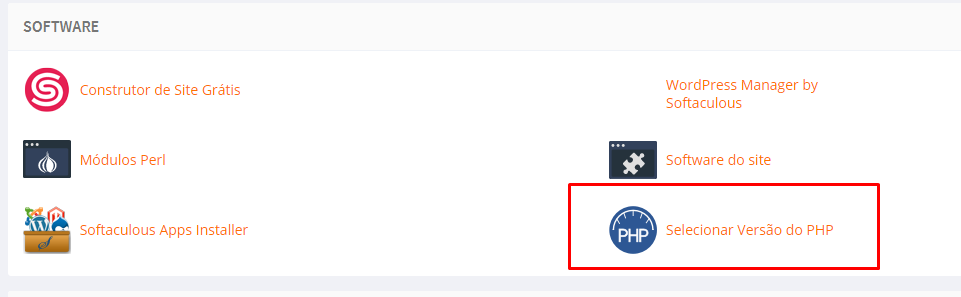
Then click on the Select PHP Version option:
Within this option, click on the Options tab Locate the max_execution_time line, and click on the current value to edit.
ATTENTION: If you are able to view the options, change the PHP version without being native.
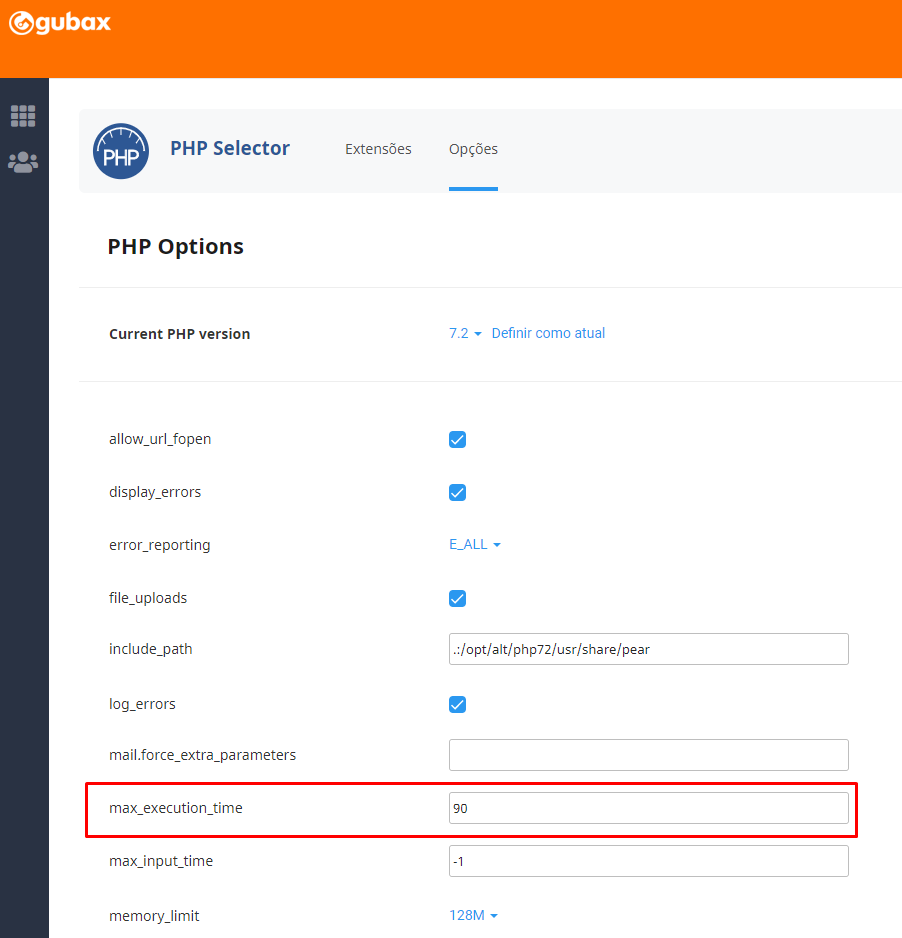
After setting the value, press Enter and it will be saved automatically.
Ready! The max_execution_time directive has been successfully increased.

